Once the tenancy has reached ‘Step 3 – Tenancy Acceptance, on BOX you will be able to add permitted occupiers to the tenancy. Permitted occupiers can be added until ‘Step 5 – Prepare Tenancy Documents’ is complete.
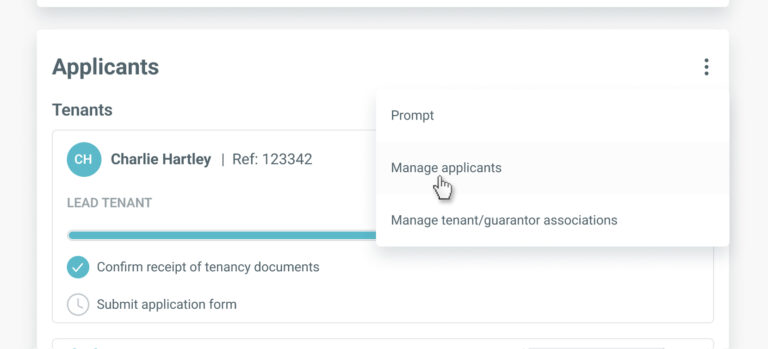
To add a new permitted occupier, go to the ‘Applicants’ section on the tenancy record and select ‘Manage applicants’ from the menu.
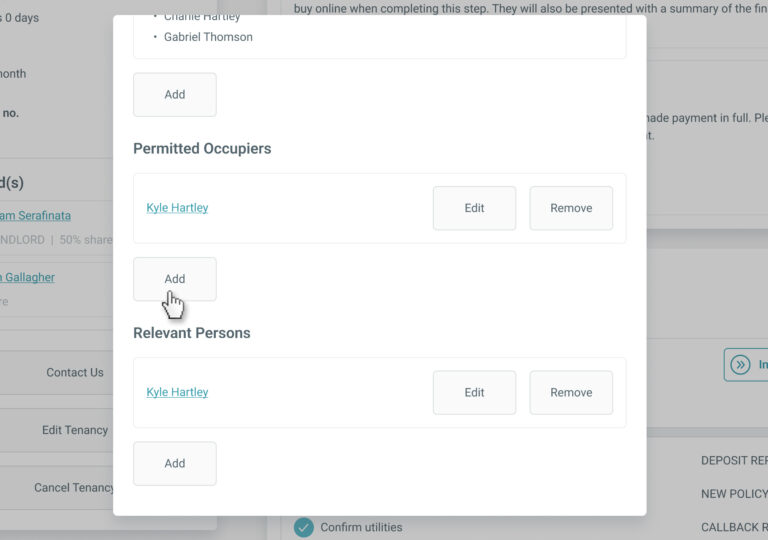
In the ‘Manage Applicants’ screen, click the ‘Add’ button within the ‘Permitted Occupier’ section.
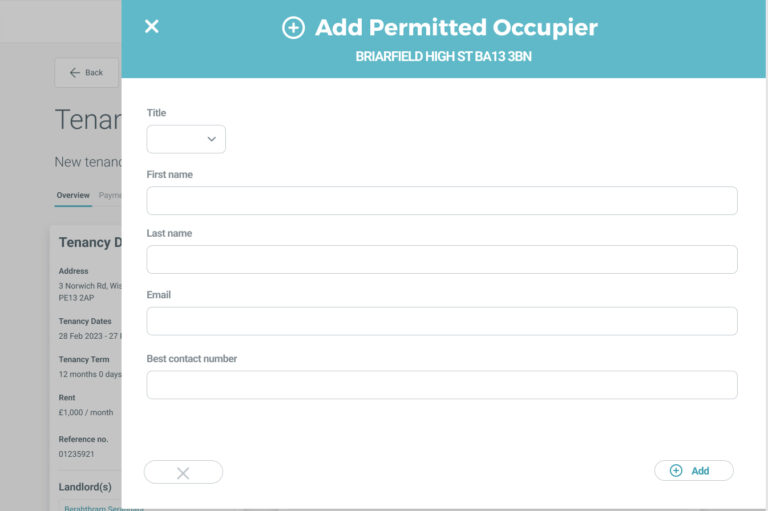
You’ll be directed to the ‘Add Permitted Occupier’ screen.
Enter all the required information and click ‘Add’.
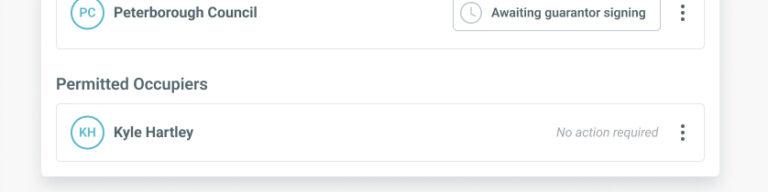
The new permitted occupier will now appear in the ‘Applicants’ section of the tenancy page and when completing Step 3 and Step 5 of the BOX pre-tenancy journey.
By continuing to browse the site you are agreeing to our use of cookies
Are you boxing clever yet?
Book a demo
Find out how BOX can help you save time, reduce admin and let properties faster.