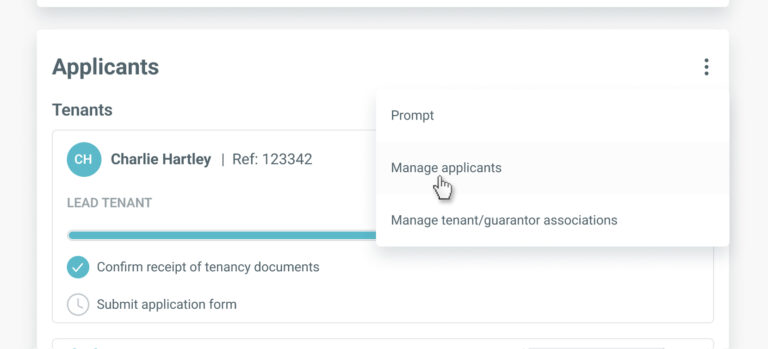
To edit a guarantor’s information, go to the ‘Applicants’ section on the tenancy record and select ‘Manage applicants’ from the menu.
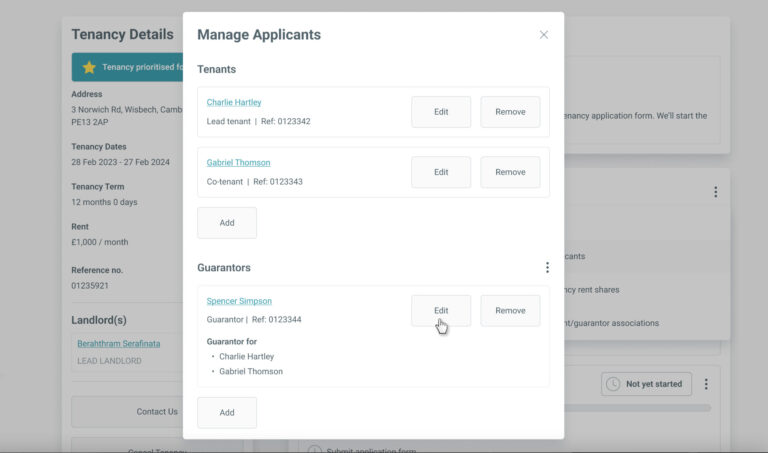
In the ‘Manage Applicants’ screen, click the ‘Edit’ button for the guarantor you wish to update.
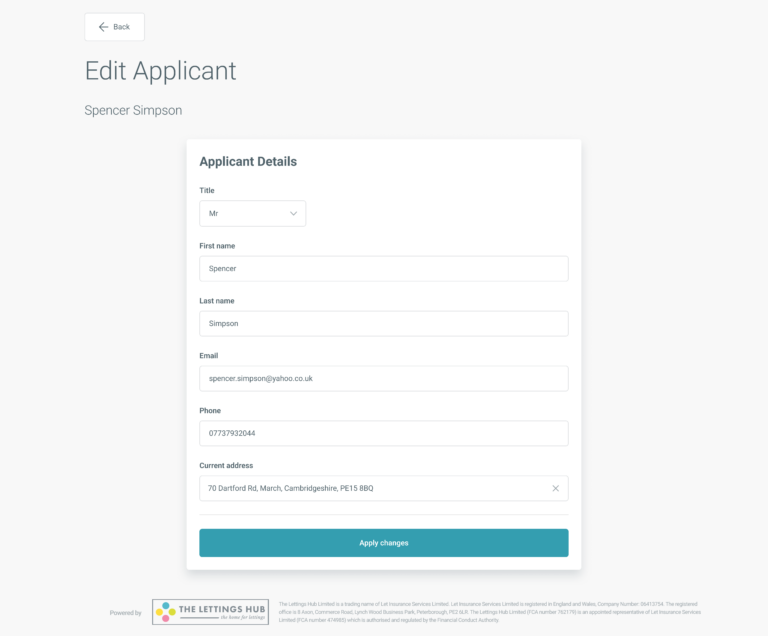
On the ‘Edit Applicant’ screen the guarantor’s name and all contact details can be edited up until the guarantor has submitted their referencing application form. If you have indicated no reference is required for this guarantor, their details will remain fully editable until they have created an account with us or logged into this tenancy (if they already have an account).
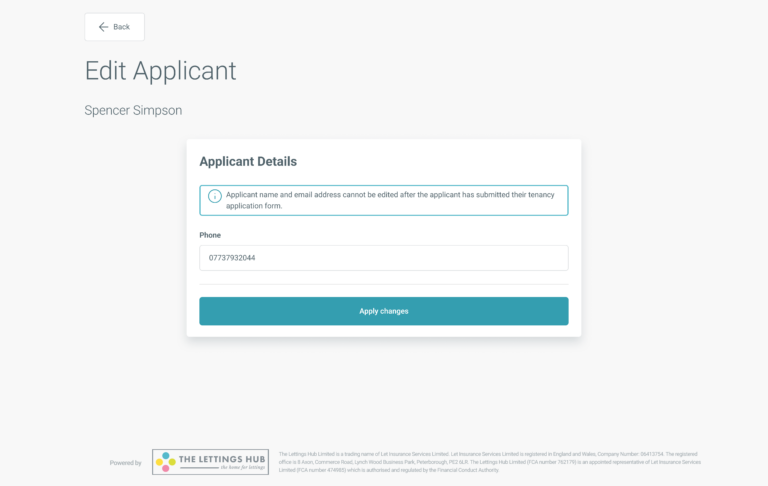
After the guarantor has submitted their form/logged in, you will only be able to edit their phone number as changes to any other details at this point will fundamentally affect the guarantor’s account and/or process of their reference.
Please be aware the referencing report type and/or the requested Know Your Customer checks cannot be changed after you have created the tenancy.
By continuing to browse the site you are agreeing to our use of cookies
Are you boxing clever yet?
Book a demo
Find out how BOX can help you save time, reduce admin and let properties faster.