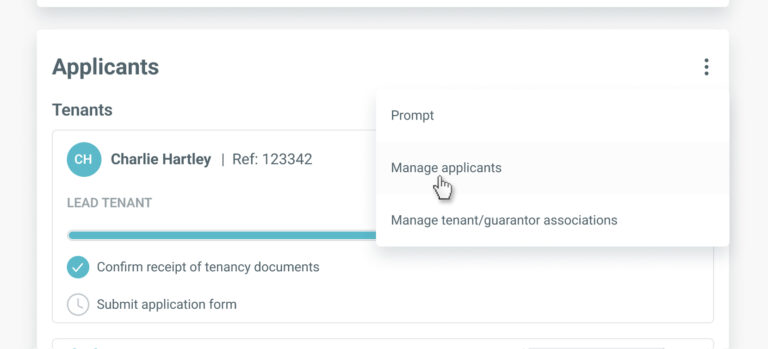
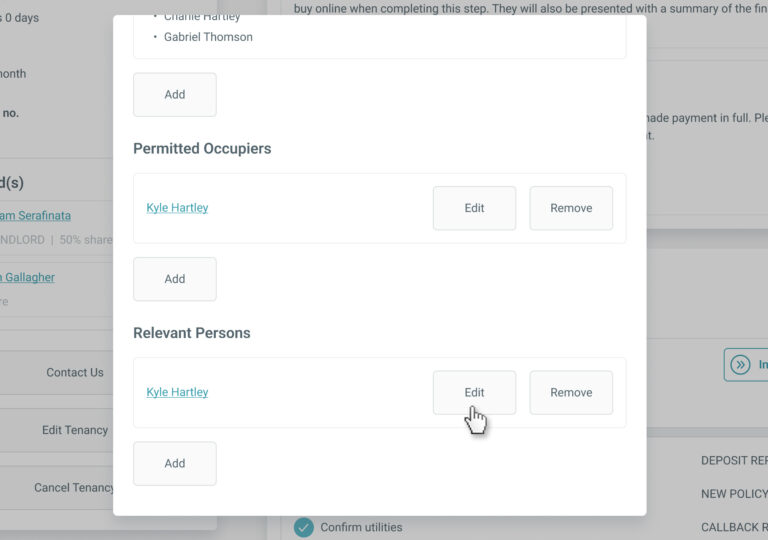
< Back to Tenancy Records Edit Relevant Person Details The relevant person’s details can be edited any time up until ‘Step 5 – Prepare Tenancy Documents’ is complete on BOX.To edit a relevant person’s information, go to the ‘Applicants’ section on the tenancy record and select ‘Manage applicants’ from the menu. In the ‘Manage Applicants’ screen, click the ‘Edit’ button for the relevant person you wish to update. You’ll be directed to the ‘Edit Relevant Person’ screen. Update the details as required and click ‘Save’ to apply the changes.