
Manage Rent Shares For Affordability Checks
You can change the rent shares between tenants and guarantors on a tenancy at any time. The changes will automatically applied to the final referencing report if the changes are made within 30 days of the date the final report was first issued.
To edit rent shares, go to your agent dashboard and locate the tenancy. Click on the Step 1 or Step 2 tabs and then click on the rent shares ‘edit’ button.

In the ‘Adjust Rental Share’ screen you can change the rent splits between each tenant, or you can adjust their rent share up to 100% of the rent for each tenant.
The rent share of any guarantors associated with the tenants will automatically update to reflect the total rent share of all tenants they are associated with.
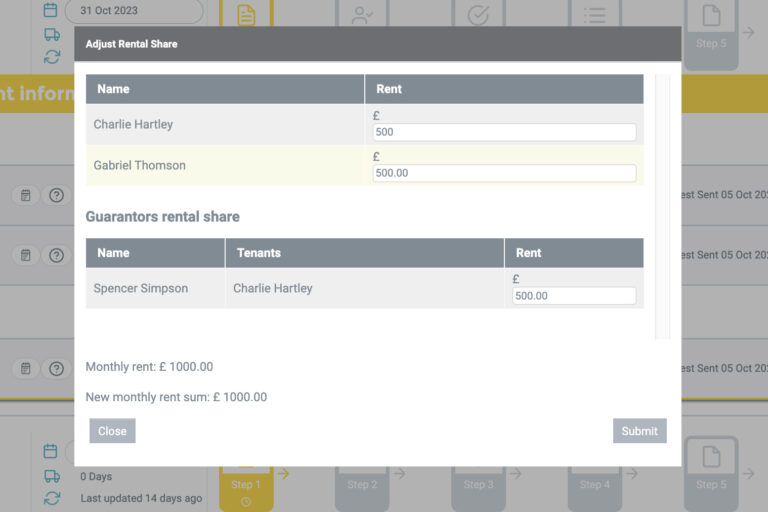
When you submit the changes, the new rent shares will be considered when providing a final recommendation if you have requested an Elite or Essential++ report.
If the final report has already been issued and the rent share does NOT result in a change to the final recommendation, an updated copy of the report will be sent to you. If the change in rent share WILL result in a change in final recommendation shown on the report, our team will review the change suggested by BOX and so an updated report will be sent to you once this review has taken place.
COMING SOON
The ability to edit rent shares via the tenancy record and to instantly reissue reports where the decision has changed an ‘Accept’ recommendation will be available in the coming weeks. Keep an eye out for our latest updates.