Review Referencing Application Form Prior To Submission
When adding a tenant or guarantor to a tenancy, if you’ve selected to complete reference checks on the applicant, you have the option to review their application form prior to submission. This allows you to review the applicant’s answers before the referencing process starts and incurs a charge for your branch.
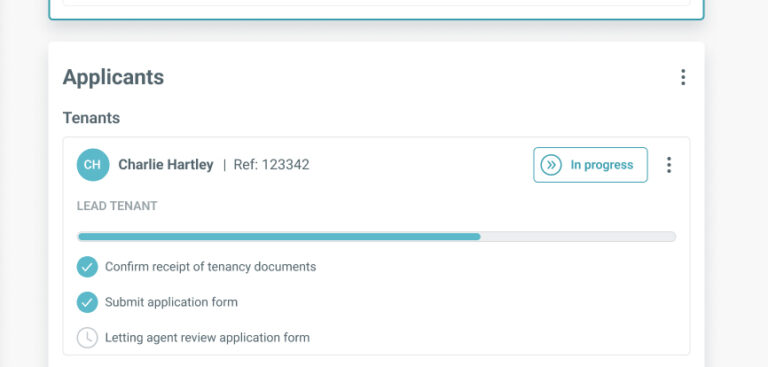
If you select this option, the applicants will display with an additional task of ‘Letting agent review application form’ within the ‘Applicants’ section of the tenancy record.
When the tenant has submitted their application form, the Tenancy Status will display a message confirming that you need to review their information.
Proceed with referencing
If you’re satisfied with the applicant’s answers and wish to start the referencing process, click ‘Submit’ at the bottom of the form.
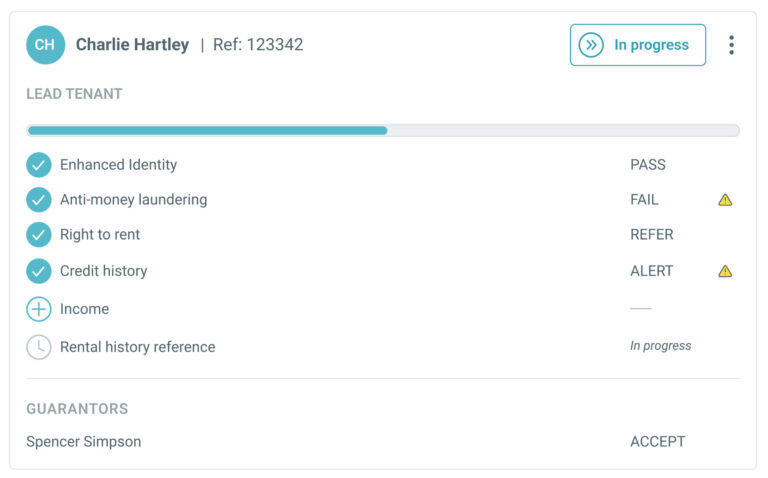
The applicant’s final task (‘Letting agent review application form’) will be complete in the Applicants section of the tenancy record and will update the view to show the status of their referencing.
Cancel referencing
This cannot be undone
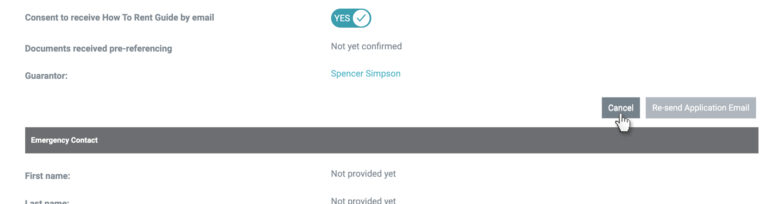
If you no longer wish to reference this applicant, click ‘Back’ in the Quick Actions menu which will direct you to the applicant’s referencing page.
To cancel the reference, click ‘Cancel’ within the ‘About You’ section and confirm your reason for cancelling. This applicant will then be removed from the tenancy.